Skip to content
OPENWEBRX PLUS
Manual:
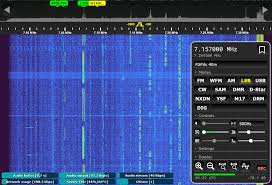
Creating a YOTA Image
- Download
- https://github.com/luarvique/openwebrx/releases
- Extract a .zip file as an .img file
- Have the xxx.json file from the Raspi-Pi-Imager download ready
- Raspi-Pi Imager
- Settings
- Select the xxx.json file
- User: pi
- Password: pi2026
- Write an image
- Insert the SD card into the Raspberry Pi and start the Raspberry Pi with an HDMI monitor and keyboard
- login
- user: pi
- password: pi2026
- User for WEB Setup: owadmin
- Password: owrx
- Execute commands in the console
- sudo raspi-config
- Localization Options
- System Options
- Wireless LAN
- SSID ….. YOTACAMP
- PASSWORD …. yotacamp
- SSH YES
Setting up a Wi-Fi access point according to the Wiki instructions:
- sudo usermod -a -G netdev openwebrx
Create a Wi-Fi Access Point
- sudo nmcli device wifi hotspot ifname wlan0 ssid openwebrx password openwebrx
- sudo nmcli con modify Hotspot connection.autoconnect yes
TEST commands for connections
- nmcli connection show
- nmcli dev wifi show-password
Switch between Wi-Fi Station and Wi-Fi AP, and vice versa
- Wi-Fi Access Point
- sudo nmcli connection up Hotspot
- WiFi WLAN
- sudo nmcli connection up YOTACAMP
DMR&CO:
- sudo install-softmbe.sh
- Updates can always be made
- sudo bash /tmp/install-softmbe.sh
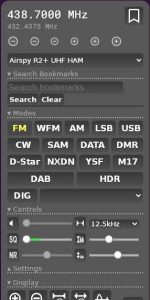
Check RASPI Interfaces
- journalctl | grep hotspot
- journalctl | grep wifi
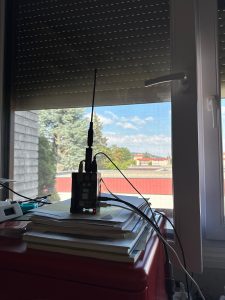
Workshop Handout Slides:
Adaptation: YOTA-IMAGE
- Change the WiFi Access Point SSID
- sudo nmcli connection modify Hotspot ssid openwebrx_oe /*Example*/
- Change Wi-Fi Access Point Password
- sudo nmcli connection modify Hotspot wifi-sec.psk openwebrx_oe /*Example*/
- Rename the YOTACAMP Wi-Fi network (optional)
- sudo nmcli connection modify netplan-wlan0-YOTACAMP connection.id YOTACAMP
- Remove TimeWLAN from the test configuration
- sudo nmcli connection delete TimeWLAN
Adjustment: YOTA-USERS in WAGRAIN or QTH
- Rename Hotspot
- sudo raspi-config
- Localization Options
- System Options
- Wireless LAN
- SSID …..
- PASSWD ….
We use cookies to ensure that we give you the best experience on our website. If you continue to use this website, we will assume that you are happy with it.
OK