Zum Inhalt springen
OPENWEBRX PLUS
Manual:
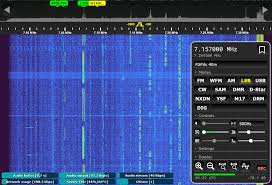
Erzeugen eines YOTA-Image
- Download
- https://github.com/luarvique/openwebrx/releases
- zip als img entpacken
- xxx.json aus den Download für Raspi-Pi-Imager bereit halten
- Raspi-Pi-Imager
- Einstellungen
- Datei xxx.json auswählen
- User: pi
- Password: pi2026
- Image schreiben
- SD-Karte in Raspi einlegen und Raspi mit HDMI-Monitor und Tastatur starten
- login
- user: pi
- password: pi2026
- User für WEB-Setup: owadmin
- Password: owrx
- Befehle in der Konsole ababrbeiten
- sudo raspi-config
- Localisation Options
- System Options
- Wireless LAN
- SSID ….. YOTACAMP
- PASSWD …. yotacamp
- SSH YES
WIFI AP Vorbereitung laut Wiki-Anleitung:
- sudo usermod -a -G netdev openwebrx
WIFI AP anlegen
- sudo nmcli device wifi hotspot ifname wlan0 ssid openwebrx password openwebrx
- sudo nmcli con modify Hotspot connection.autoconnect yes
TEST commandos für connections
- nmcli connection show
- nmcli dev wifi show-password
Umschalten Wifi-Station und Wifi-AP and vice-versa
- Wifi AP
- sudo nmcli connection up Hotspot
- WiFi Wlan
- sudo nmcli connection up YOTACAMP
DMR&CO:
- sudo install-softmbe.sh
- updates können immer gemacht werden
- sudo bash /tmp/install-softmbe.sh
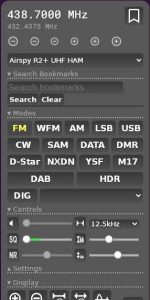
Check RASPI Schnittstellen
- journalctl | grep hotspot
- journalctl | grep wifi
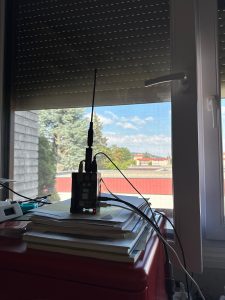
Workshop Begleitfolien:
Anpassung: YOTA-IMAGE
- WiFi-AP SSID ändern
- sudo nmcli connection modify Hotspot ssid openwebrx_oe /*Beispiel*/
- Wifi-AP Passwort ändern
- sudo nmcli connection modify Hotspot wifi-sec.psk openwebrx_oe /*Beispiel*/
- YOTACAMP WiFi-Einstieg umbenennen (optinal)
- sudo nmcli connection modify netplan-wlan0-YOTACAMP connection.id YOTACAMP
- TimeWLAN aus Testkonfiguration rausl öschen
- sudo nmcli connection delete TimeWLAN
Anpassung: YOTA-USERS in WAGRAIN oder QTH
- Hotspot umbenennen
- sudo raspi-config
- Localisation Options
- System Options
- Wireless LAN
- SSID …..
- PASSWD ….
Wir verwenden Cookies, um sicherzustellen, dass wir Ihnen das beste Erlebnis auf unserer Website bieten. Wenn Sie diese Website weiterhin nutzen, gehen wir davon aus, dass Sie damit zufrieden sind.
OK