Lilygo T-DECK-PLUS
Copy maps and audio to a 16GB or 32GB SD card
- Format SD Card
- File system: FAT32 (default)
- Allocation Units: 4096 Bytes
- Volume Designation TDECK
- Quick Formatting
- Link to the downloads: T-DECK MAPS Link
- Copy the contents of the"oe3mzc_bell"folder to the root directory of the SD card:
You can then use these sounds in the TDECK-PLUS setup - Create a "maps" folder on the SD card
AUSTRIA
- Create a folder named "Austria" inside "maps"
- Austria – Zoom Levels 5–13
- Download "tiles-austria-z5-z13.zip"from the download link and copy the contents to the /maps/Austria folder
Warning: There are a lot of files, so this will take a long time!
After that, you can already use the SD card, but additional zoom levels are still available
- Download "tiles-austria-z5-z13.zip"from the download link and copy the contents to the /maps/Austria folder
- Austria – Zoom Levels 14–16
- Download tiles-austria-z14-z16.zipand copy the contents to the /maps/Austria folder as well
Note: More files will take even longer!
- Download tiles-austria-z14-z16.zipand copy the contents to the /maps/Austria folder as well
GERMANY
- Create a folder named "Germany" inside "maps"
- Germany – Zoom Levels 0–14
- Download "tiles-germany-z0-z14.zip" from the download link and copy the contents to the /maps/Germany folder
Warning: There are a lot of files, so this will take a long time!
After that, you can already use the SD card, but additional zoom levels are still available
- Download "tiles-germany-z0-z14.zip" from the download link and copy the contents to the /maps/Germany folder
EUROPE
- Create a folder named "Europe" within "maps"
- Europe – Zoom Levels 0–9
- Download "tiles-europa-z0-z9.zip"from the download link and copy its contents to the /maps/Europa folder as well
Note: More files will take even longer!
- Download "tiles-europa-z0-z9.zip"from the download link and copy its contents to the /maps/Europa folder as well
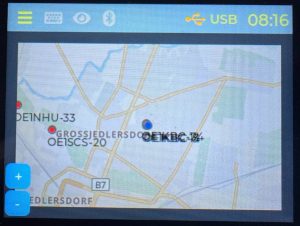
Insert the SD card into the TDECK-PLUS, and then, in the setup menu, select either the Austria or Europe map from the “MAPS” drop-down menu.
73 de Kurt
OE1KBC
P.S.:
Additional zoom levels are included in the download