Ping Check Function
Starting with version v4.35p.07.24.2, a ping check can be initiated between two MeshCom nodes. The ping check is not relayed via LoRa Mesh but is handled solely on the directly audible RF level.
It is important that both MeshCom nodes involved are running firmware version v4.35p.07.24 or later.
How it works:
- using the console command –pingcall call sign specifies the desired destination.
- The ping is resent starting from the time the pingcall call sign is entered. The default retry interval is 60 seconds.
- using the console command –pingtime 999 in seconds, the repeat rate can be set individually within the range of 30–300 seconds.
- using the console command –pingmax 99 you can specify how often a ping runs automatically until it stops on its own. If this command is not set, the default value is 5.
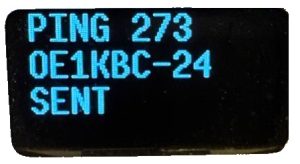
- The display shows when a ping is sent
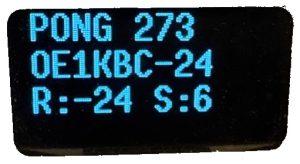
- After receiving a ping from the remote station, a confirmation is also shown on the display. A sequential number confirms the association with the ping transmission.
- The process is started using the console command –ping start and then clears the ping counts set by pingmax.
- The process can be terminated early at any time using the console command –ping stop . It will stop automatically after a reboot.
Screen display when sending a ping:
Display after receiving a Pong:
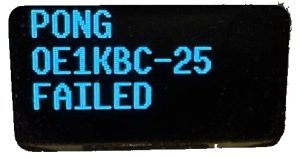
Message displayed if a Pong does not return after the set retry time: